Free AI risk assessment for MSPs
Find out what AI one of your clients is really using.
Veritus watches for two weeks in monitor mode. Then you get a report to show your client: the AI tools their staff use, the sensitive data that went into them, and what to approve or block.
- Two weeks, on one client of your choice
- Monitor mode: nothing is blocked and nobody is interrupted
- A client-ready report at the end, with your name on it
- Free. No card, and nothing to cancel
What you hand your client on day 15
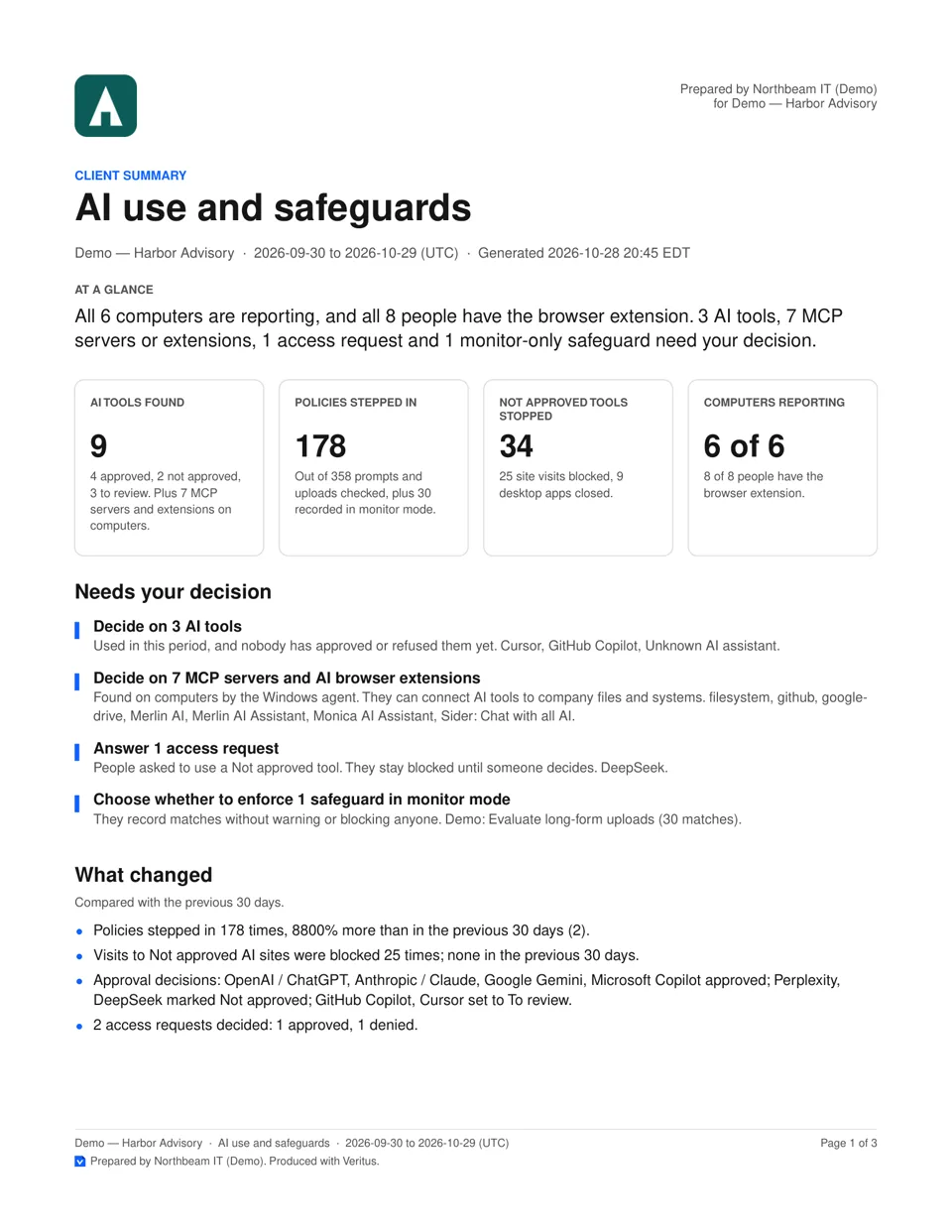
A short report in plain words, prepared under your name, that answers “is our AI use safe?”
- Which AI tools staff use, and on how many computers
- How often sensitive data, such as card numbers and personal data, went into prompts and uploads
- Which tools nobody has reviewed yet, and what to decide about each
- Mapped to ISO/IEC 42001, ISO/IEC 27001, NIST SP 800-171 and CMMC controls
Veritus maps AI activity to framework controls to support audits. It does not certify compliance.
How the two weeks run
You install it once. Veritus does the watching and writes the report.
- Today
Tell us who you are. We reply within one business day and set up your Veritus workspace.
- Day 1
Install the browser extension and the Windows agent on your client's computers, in monitor mode.
- Days 2 to 14
Veritus finds the AI tools staff use, on which computers, and the sensitive data that shows up in prompts and uploads.
- Day 15
Walk your client through the report. Then choose a plan to keep going, or stop.
Questions MSPs ask
- What does it cost?
- Nothing. There is no card to add and nothing to cancel. If you want to keep Veritus after two weeks, you choose a plan then.
- Will my client's staff notice?
- Nothing is blocked and nobody sees a warning. In monitor mode, messages are sent as written and Veritus records what it finds for your report.
- What does Veritus collect?
- Which AI tools are used and where, and what matched a policy in prompts and uploads. The Windows agent records metadata only, never what is typed or shown. See what Veritus collects.
- What do my client's computers need?
- Windows computers, with Chrome or Microsoft Edge for checking prompts and uploads.
- Who is this for?
- MSPs and IT providers. You run the assessment for one of your clients, and the report is yours to present.